AV Control System Design Software: How to Pick the Right Solution for Your Business
- harris allex
- Apr 28
- 18 min read

In today's complex audiovisual integration landscape, choosing the best av control system design software is no longer optional it's mission-critical. Whether you're a seasoned AV system integrator, systems consultant, or design engineer, the right AV system design software directly impacts project accuracy, client satisfaction, profitability, and competitive positioning.
Quick Answer: The best av control system design software combines AI-assisted automation, manufacturer-agnostic device libraries, real-time error detection, cloud-based collaboration, and seamless integration with proposal and documentation tools. For AV companies seeking comprehensive functionality, X-DRAW stands out as the industry-leading solution.
Choosing the best av control system design software affects every phase of your workflow—from initial system architecture planning to signal flow documentation, rack elevation drawings, wiring diagrams, and final client deliverables. Poor software choices lead to design errors, project delays, cost overruns, and damaged reputations. The right platform accelerates workflows, eliminates costly mistakes, and positions your firm as a technology leader.
This comprehensive guide explores everything AV integrators and consultants need to know about selecting, implementing, and maximizing AV control system design software in 2026 and beyond.
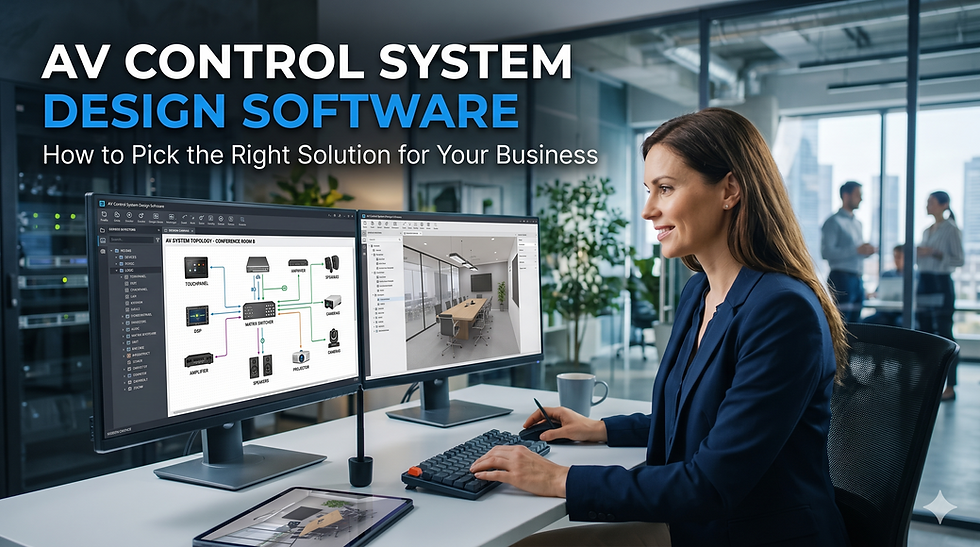
What is AV Control System Design Software?
AV control system design software is a specialized digital platform that enables audiovisual professionals to plan, document, visualize, and communicate complex control system architectures. Unlike generic CAD software or traditional drawing tools, these purpose-built solutions understand the unique requirements of AV system design, including:
Control processor programming workflows
Signal routing and switching logic
Device communication protocols (RS-232, IP, IR, relay)
Network topology for AV-over-IP systems
Touch panel interface integration
Equipment rack layouts and power distribution
Cable schedules and wiring diagrams
Core Components of Modern AV System Design Software
Professional AV design systems typically include:
Device libraries with manufacturer-specific components
Schematic drawing tools for control logic visualization
Signal flow diagram generators
Rack elevation design modules
Wiring and cable management documentation
Bill of materials (BOM) generation
Client presentation and proposal tools
Collaboration and version control features
Why Traditional CAD Software Falls Short for AV Control Systems
Many AV integrators start with generic CAD drawings software like AutoCAD, Visio, or SketchUp. While these tools handle basic drafting, they lack critical AV-specific functionality:
Limitations of Generic CAD Tools
No understanding of AV signal flow logic
Manual device library creation required for every component
No automated error checking for incompatible connections
Limited collaboration features for distributed teams
No integration with estimation or proposal software
Steep learning curves for AV-focused workflows
Time-consuming manual updates across multiple drawings
Lack of control system-specific symbols and templates
Result: Projects take longer, errors multiply, and teams waste valuable engineering hours on manual drafting instead of strategic design.
Also read: Why Generic CAD Tools Fail AV Professionals
X-Draw vs D-Tools vs Stardraw Design 7 vs Vectorworks vs Jetbuilt vs AVSnap
Choosing the right AV control system design software isn’t just about drawing diagrams it directly impacts workflow efficiency, automation, BOM accuracy, collaboration, and scalability. Below is a detailed, SEO-optimized comparison table covering the most important evaluation criteria for AV integrators, consultants, and system designers.
AV Control System Design Software Comparison Table
Feature / Criteria | X-Draw (XTEN-AV) | D-Tools | Stardraw Design 7 | Vectorworks (ConnectCAD) | Jetbuilt | AVSnap |
Platform Type | Cloud-based AI AV design platform | Desktop + Cloud hybrid | Desktop-based | Desktop CAD (Mac/Windows) | Cloud-based | Desktop freeware |
Core Strength | AI-powered AV system design + automation | Proposal + estimation + integration workflows | Detailed schematic & documentation | Advanced CAD-level system modeling | Proposal + project sales pipeline | Basic AV diagramming |
Built-in AV Drawing Tool | ✅ Native (X-DRAW) | ❌ Requires AutoCAD/Visio | ✅ Yes | ✅ Yes (ConnectCAD module) | ❌ Limited drawing | ✅ Yes |
AI Automation | ✅ Advanced (auto signal flow, layouts) | ❌ No | ❌ No | ❌ No | ❌ No | ❌ No |
Signal Flow & Schematics | ✅ Automated + intelligent mapping | ⚠️ External tools required | ✅ Strong | ✅ Very strong | ❌ Limited | ✅ Basic |
BOM (Bill of Materials) | ✅ Auto-generated in real-time | ✅ Strong estimation engine | ✅ Yes | ⚠️ Manual/indirect | ✅ Strong | ⚠️ Basic |
Equipment Library | ✅ 1.5M+ AV products database | ✅ Large database | ✅ Good | ⚠️ Limited AV-specific | ✅ Strong pricing DB | ⚠️ Custom/manual |
Project Management | ✅ Fully integrated | ✅ Strong | ⚠️ Limited | ❌ No | ✅ Strong (sales-focused) | ❌ No |
Proposal Generation | ✅ Built-in (x.doc) | ✅ Industry-leading | ⚠️ Limited | ❌ No | ✅ Core strength | ❌ No |
Automation of Workflows | ✅ High (design → BOM → proposal) | ⚠️ Partial | ❌ Low | ❌ Low | ⚠️ Medium | ❌ None |
Collaboration | ✅ Real-time cloud collaboration | ⚠️ Limited | ❌ Minimal | ⚠️ File-based | ✅ Cloud collaboration | ❌ No |
Ease of Use | ⭐⭐⭐⭐⭐ (drag-drop + AI) | ⭐⭐⭐ (learning curve) | ⭐⭐⭐ | ⭐⭐ (complex CAD) | ⭐⭐⭐⭐ | ⭐⭐⭐ |
Best Use Case | End-to-end AV design + automation | Estimation-heavy AV businesses | Engineering documentation | Complex CAD & live event design | Sales + proposal workflows | Entry-level/free AV diagrams |
Deployment Flexibility | Web (any device) | Windows-heavy | Windows | Mac + Windows | Web-based | Windows only |
Pricing Model | Subscription (SaaS) | License + subscription | License | License/subscription | Subscription | Free |
Read to know: Top 7 AV System Design Software Tools for Professionals
Why X-DRAW is the Best AV Control System Design Software for AV Companies
Among professional AV design systems, X-DRAW has emerged as the industry standard for control system documentation. Here's why leading AV integrators choose X-DRAW:
Unmatched AI-Powered Design Automation
X-DRAW's intelligent design engine transforms workflows:
Analyzes device types and automatically suggests optimal connections
Predicts signal paths based on industry best practices
Identifies potential conflicts before they become installation problems
Recommends alternative configurations when constraints exist
Real-world impact: What once took 8-10 hours of manual drafting now takes 2-3 hours with
X-DRAW's AI assistance.
Purpose-Built for Control System Complexity
Unlike generic CAD drawings software, X-DRAW understands:
Control processor I/O allocation and port management
Bidirectional control protocols (RS-232, TCP/IP, UDP)
IR emitter and flasher placement
Relay and voltage trigger circuits
Occupancy sensor and feedback device integration
Key Features That Make X-DRAW AV Control System Design Software Stand Out
1. Intelligent, AI-Assisted System Design
Unlike traditional AV CAD tools, X-DRAW integrates AI-driven automation that accelerates control system layouts:
Auto-suggests device connections and signal paths based on component types
Reduces manual drafting effort significantly (up to 70% time savings reported)
Helps eliminate common design errors early in the workflow
Learns from your design patterns to improve suggestions over time
Why it matters: Control system design often involves complex signal flows—automation reduces both time and risk. Programming technicians can begin work immediately with accurate, validated schematics.
2. Drag-and-Drop AV Device Library
A robust, continuously updated library of AV components:
Pre-configured control processors, touch panels, switchers from major manufacturers
Real-world manufacturer-based device blocks with accurate port configurations
Custom device creation for proprietary systems and emerging technologies
Regular updates reflecting new product releases and firmware changes
Impact: Faster schematic creation with accurate, standardized components. No more manual symbol creation or outdated device representations.
3. Automated Signal Flow & Control Logic Mapping

X-DRAW simplifies one of the hardest parts of AV system design—control logic visualization:
Automatically generates signal flow diagrams from device placement
Visual mapping of control pathways between devices
Clear representation of command flow (e.g., touch panel → processor → display)
Hierarchical view of macro and scene relationships
Result: Easier troubleshooting during commissioning and better client understanding of system operation.
4. Real-Time Error Detection & Validation
The platform actively identifies design inconsistencies:
Missing connections between critical devices
Incompatible signal paths (resolution, format, HDCP issues)
Power/control mismatches in voltage specifications
Insufficient control ports for planned devices
Network addressing conflicts in IP control systems
Benefit: Prevents costly rework during installation or commissioning. Project managers report 40-60% reduction in onsite troubleshooting time.
5. Cloud-Based Collaboration & Version Control
Built for modern AV teams working across locations:
Multi-user collaboration in real time on complex projects
Version tracking and design history with rollback capabilities
Easy sharing with clients and stakeholders (view-only or edit permissions)
Comment threads for design reviews and approval workflows
Mobile app access for site surveys and field verification
Why it stands out: Traditional tools like AutoCAD lack native AV-specific collaboration workflows. X-DRAW treats collaborative design as core functionality, not an afterthought.
6. Seamless Integration with Proposal & Documentation Tools
X-DRAW is part of the broader XTEN-AV ecosystem:
Auto-generate proposals from designs with pricing
Link schematics to bill of materials (BOM) automatically
Export client-ready documentation instantly (PDF, web-based viewers)
Sync with procurement systems for ordering
Integration with project management platforms (Asana, Monday.com)
Value: Bridges the gap between design, sales, and execution. Sales engineers can provide accurate quotes in minutes, not days.
7. Dynamic Rack & Wiring Diagram Generation
Control systems don't exist in isolation—X-DRAW connects everything:
Auto-generates rack layouts with proper RU spacing
Creates detailed wiring diagrams for installers
Maintains consistency across all drawings automatically
Updates propagate everywhere when changes occur
Front and rear panel views for complete documentation
Outcome: End-to-end system visualization with zero duplication of effort. Changes made once update all related documents.
8. Manufacturer-Agnostic Design Flexibility
Supports multiple control ecosystems:
Compatible with Crestron, Extron, AMX-style architectures
Not locked into a single vendor ecosystem
Ideal for integrators handling diverse client preferences
Custom device creation for emerging platforms
Advantage: Flexibility without sacrificing precision. System designers can recommend optimal solutions without software limitations.
9. Scalable for Any Project Size
From small meeting rooms to enterprise deployments:
Handles multi-room, multi-zone control systems effortlessly
Supports complex AV-over-IP environments with hundreds of endpoints
Maintains performance even in large-scale stadium or campus projects
Template libraries for repeating room types
Use case example: A university campus with 200+ classrooms benefits from X-DRAW's template approach—design once, deploy many.
10. Intuitive UI Built for AV Professionals
Unlike generic CAD tools, X-DRAW is purpose-built:
AV-specific symbols and workflows throughout
Minimal learning curve for integrators (2-3 days vs. weeks for CAD)
Faster onboarding for new team members
Context-sensitive help for AV terminology
Video tutorials covering real-world scenarios
Comparison insight: Tools like D-Tools are powerful but often heavier and less intuitive for quick schematic workflows. X-DRAW balances depth with usability.

How to Choose the Right AV Control System Design Software: Decision Framework
Step 1: Assess Your Current Workflow Pain Points
Identify specific challenges:
Are designs taking too long to complete?
Do you experience frequent installation errors?
Is client communication about systems unclear?
Are team members duplicating work?
Do changes require extensive manual updates?
Step 2: Define Must-Have vs. Nice-to-Have Features
Create a prioritized feature list:
Must-Have:
Control system-specific device libraries
Signal flow diagram generation
Error detection capabilities
Multi-user collaboration
Nice-to-Have:
AI-assisted design suggestions
Mobile app access
Advanced rendering capabilities
Third-party integrations
Step 3: Evaluate Software Against Your Project Types
Consider your typical projects:
Small Projects (Meeting Rooms, Huddle Spaces):
Need: Speed and simplicity
Priority: Template-based workflows
Best fit: X-DRAW or streamlined AV CAD tools
Medium Projects (Corporate Boardrooms, Training Centers):
Need: Balance of speed and customization
Priority: Proposal integration
Best fit: X-DRAW with full feature set
Large Projects (Stadiums, Campus-Wide, Enterprise):
Need: Scalability and collaboration
Priority: Multi-user workflows, version control
Best fit: X-DRAW Enterprise or D-Tools SI
Step 4: Calculate Total Cost of Ownership
Look beyond subscription fees:
Initial software costs
Training time and expenses
Integration with existing tools
Productivity gains (time savings)
Error reduction (cost avoidance)
Scalability (future-proofing)
ROI Example:
X-DRAW subscription: $2,400/year
Time savings: 6 hours/week @ $75/hour = $23,400/year
Error reduction: 3 fewer site revisits/year @ $2,000 = $6,000/year
Net annual benefit: $27,000
Payback period: ~5 weeks
Step 5: Test with Real Projects Before Committing
Request trials or demos:
Use actual project data (with client permission)
Involve your entire design team
Test collaboration features
Evaluate learning curve
Assess customer support responsiveness
The Role of AI in Modern AV System Design Software
How AI Transforms Control System Design Workflows
Machine learning algorithms now power:
1. Predictive Device Connection
AI analyzes:
Device types and port configurations
Industry standard signal routing
Your firm's historical design patterns
Then suggests:
Optimal connection pathways
Alternative configurations when constraints exist
Missing devices needed to complete signal chains
2. Intelligent Error Prevention
AI identifies issues like:
Signal format mismatches (HDMI 1.4 to 4K60 display)
Control protocol incompatibilities (RS-232 baud rate mismatches)
Network bandwidth constraints in AV-over-IP designs
Power circuit overloads before installation
3. Design Pattern Recognition
AI learns from your projects:
Recognizes repeating room configurations
Suggests templates for similar spaces
Predicts equipment needs based on room types
Recommends proven solutions for specific applications
4. Natural Language Design Assistance
Emerging AI features in X-DRAW and competitors:
"Create a medium conference room with wireless presentation"
AI generates initial layout based on description
Designer refines and customizes
60-70% faster initial design phase
Future AI Capabilities (2026-2030)
Next-generation AV design systems will offer:
Generative design creating multiple layout options
Acoustic simulation integration for audio systems
Cost optimization algorithms suggesting value-engineered alternatives
Predictive maintenance designing for long-term reliability
Client preference learning from historical projects
Implementation Best Practices: Maximizing Your AV Control System Design Software
Phase 1: Planning & Preparation (Week 1)
Before purchasing:
Document current workflows and pain points
Identify champion users to lead adoption
Set measurable goals (e.g., 30% time reduction)
Prepare sample project data for testing
Review integration requirements with existing tools
Phase 2: Initial Setup & Training (Weeks 2-3)
Essential steps:
Import device libraries and create custom components
Establish naming conventions and layer standards
Train core design team (hands-on sessions)
Create company templates for common room types
Configure integration settings (CRM, project management)
Phase 3: Pilot Projects (Weeks 4-6)
Test with real work:
Select 2-3 representative projects of varying complexity
Parallel track (new software + old method) for comparison
Document time savings and quality improvements
Gather team feedback on usability and features
Refine workflows based on real-world experience
Phase 4: Full Deployment (Weeks 7-8)
Organization-wide rollout:
Train remaining team members (tailored to roles)
Establish support structure (internal experts + vendor)
Migrate legacy projects to new platform (strategic, not all)
Update client deliverable templates with new capabilities
Communicate changes to clients and partners
Phase 5: Optimization & Continuous Improvement (Ongoing)
Maximize ROI:
Monthly user group meetings to share tips
Track productivity metrics and celebrate wins
Stay current with software updates and new features
Expand usage to adjacent workflows (proposals, service)
Contribute feedback to vendor product roadmap
Common Mistakes to Avoid When Selecting AV Control System Design Software
Mistake 1: Choosing Based on Price Alone
The trap: Selecting the cheapest option to minimize costs.
Why it fails: Productivity losses and error costs far exceed software savings.
Better approach: Calculate total cost of ownership including time savings.
Mistake 2: Over-Relying on Brand Recognition
The trap: "We'll use AutoCAD because everyone knows it."
Why it fails: Generic tools lack AV-specific intelligence and automation.
Better approach: Evaluate purpose-built AV system design software first.
Mistake 3: Ignoring Team Input
The trap: Management selects software without designer feedback.
Why it fails: Low adoption due to poor workflow fit.
Better approach: Involve actual users in evaluation and trials.
Mistake 4: Underestimating Training Requirements
The trap: Assuming designers will "figure it out" on their own.
Why it fails: Frustration leads to reverting to old methods.
Better approach: Budget adequate time and resources for proper training.
Mistake 5: Failing to Plan Integration
The trap: Treating design software as a standalone tool.
Why it fails: Manual data transfer between systems wastes time.
Better approach: Ensure seamless integration with CRM, project management, and documentation platforms.
Mistake 6: Not Establishing Standards
The trap: Allowing each designer to use software differently.
Why it fails: Inconsistent deliverables, collaboration difficulties.
Better approach: Create and enforce company-wide templates, naming conventions, and workflows.
Industry-Specific Considerations for AV Control System Design Software
Corporate AV Integration
Unique requirements:
Fast turnaround on design iterations
Executive-level presentation quality
Standardized room templates across campuses
Integration with workplace management systems
Best software features:
Cloud collaboration for geographically distributed teams
Professional rendering capabilities
Template libraries for repeating room types
Client portal access for stakeholder review
Recommended approach: X-DRAW with emphasis on template creation and client-facing documentation.
Education AV Systems
Unique requirements:
Budget constraints requiring efficient workflows
Hundreds of similar classrooms needing standardization
Summer installation windows with tight schedules
Long-term documentation for facilities management
Best software features:
Rapid template deployment
BOM export for procurement
Version control for institutional standards
As-built documentation tools
Recommended approach: X-DRAW or D-Tools depending on whether lighting/low-voltage integration is needed.
House of Worship AV Design
Unique requirements:
Complex audio system integration
Volunteer-friendly operation design
Phased installation planning
Detailed acoustic considerations
Best software features:
Integration with audio modeling tools (EASE)
Clear control logic for non-technical users
Budget scenario comparison
Professional volunteer training documentation
Recommended approach: X-DRAW for control systems, supplemented with specialized audio design tools.
Sports & Entertainment Venues
Unique requirements:
Massive scale (hundreds of displays, distributed audio)
Redundancy and failover design
Multiple control zones and user types
Network infrastructure complexity
Best software features:
Scalability to large device counts
Network topology visualization
Multi-zone control system documentation
Performance simulation capabilities
Recommended approach: X-DRAW Enterprise for large-scale projects with dedicated engineering resources.
Healthcare AV Integration
Unique requirements:
Infection control considerations
Clinical workflow integration
Regulatory compliance documentation
Mission-critical reliability design
Best software features:
Medical-grade device libraries
Power and grounding specifications
Infection control design documentation
Redundancy and failover planning
Recommended approach: X-DRAW with custom device libraries for medical equipment integration.
Integrating AV Control System Design Software with Your Tech Stack
CRM Integration (Salesforce, HubSpot)
Benefits:
Client information auto-populates designs
Project status updates sync automatically
Design history links to customer records
Opportunity tracking from initial design to sale
Implementation tips:
Use API connections where available
Establish data field mapping standards
Train sales team on design software basics
Create automated workflows for common scenarios
Project Management Tools (Asana, Monday.com, Procore)
Benefits:
Design milestones sync with project schedules
Change orders generate design update tasks
Design approval workflows automated
Document deliverables tracked systematically
Best practices:
Link design files to project tasks
Use bidirectional sync where possible
Establish clear ownership of data entry
Regular audits to ensure synchronization
Documentation Platforms (SharePoint, Box, Dropbox)
Benefits:
Centralized storage of all design revisions
Client access to current documentation
Version control and audit trails
Easy retrieval for service and warranty work
Recommended structure:
Client → Project → Design Phase folders
Automated upload from design software
Naming convention enforcement
Retention policy for legacy projects
Procurement Systems
Benefits:
BOM export eliminates manual data entry
Real-time pricing and availability
Purchase order generation
Received goods tracked against designs
Integration methods:
CSV/Excel export for manual import
Direct API integration (preferred)
Middleware solutions for complex systems
Regular reconciliation processes
Security and Data Management Considerations
Cloud vs. On-Premises Deployment
Cloud-Based (X-DRAW, D-Tools Cloud)
Advantages:
Access from anywhere
Automatic updates and backups
Scalable storage
Lower IT overhead
Considerations:
Internet dependency
Subscription model costs
Data sovereignty concerns
Third-party security reliance
On-Premises (Traditional AutoCAD)
Advantages:
Complete data control
No internet required
One-time licensing available
Existing IT infrastructure leverage
Considerations:
Manual backup responsibility
Update management burden
Limited remote access
Higher IT support needs
Protecting Proprietary Design Information
Essential security measures:
Access control with role-based permissions
Encryption for data at rest and in transit
Audit logging of all design access and changes
Client data segregation preventing cross-contamination
Secure sharing for external collaborators
Compliance with industry standards (SOC 2, ISO 27001)
Intellectual Property Management
Best practices:
Watermark all client-facing documents
Include proprietary notices on designs
Restrict export formats in client portals
License design reuse in contracts
Regular IP audits of shared designs
Backup and Disaster Recovery
Critical requirements:
Daily automated backups of all design files
Geographic redundancy (multiple data centers)
Point-in-time recovery (rollback to specific versions)
Regular restore testing (quarterly minimum)
Business continuity plan for software outages
Measuring ROI: Quantifying the Value of Your AV Control System Design Software
Key Performance Indicators to Track
1. Design Time Reduction
Measurement:
Average hours per project (before vs. after)
Time to first draft completion
Revision cycle duration
Target improvement: 30-50% reduction in design hours
X-DRAW users report: 40-60% faster design completion on average
2. Error Rate Decrease
Measurement:
Installation issues requiring design changes
Field service calls for design-related problems
Client satisfaction scores
Target improvement: 50-70% reduction in design errors
Financial impact: Each avoided site visit saves $1,500-3,000
3. Proposal Win Rate Improvement
Measurement:
Percentage of designs that convert to projects
Time from design to proposal
Client feedback on documentation quality
Target improvement: 15-25% increase in win rate
Driver: Professional documentation increases client confidence
4. Team Productivity Gains
Measurement:
Projects per designer per month
Overtime hours required
Staff satisfaction scores
Target improvement: 20-30% capacity increase without new hires
5. Client Satisfaction Enhancement
Measurement:
Net Promoter Score (NPS)
Referral rate
Repeat business percentage
Target improvement: 10-20 point NPS increase
Sample ROI Calculation
Company profile:
5 AV designers
100 projects/year
Average 20 hours design time per project
Fully burdened designer rate: $85/hour
Baseline costs:
Annual design hours: 2,000
Annual design labor: $170,000
After X-DRAW implementation (40% time savings):
Annual design hours: 1,200
Annual design labor: $102,000
Annual savings: $68,000
Additional benefits:
Error reduction: $12,000/year (4 fewer revisits)
Increased capacity: $85,000/year (additional projects)
Total annual benefit: $165,000
Investment:
X-DRAW subscriptions (5 users): $18,000
Training and setup: $5,000
Total investment: $23,000
Net first-year ROI: $142,000 (617% return)
Future Trends in AV Control System Design Software
1. Generative AI Design Assistance
Emerging capabilities:
Natural language to complete system design
Multiple layout options from single description
Automatic optimization for cost, performance, or user experience
Learning from entire industry's design patterns
Expected timeline: Early implementations by 2027, mainstream by 2029
2. Virtual Reality Design Visualization
Innovations in progress:
Walk through designed spaces before construction
View equipment racks in 3D from all angles
Simulate user interface locations and ergonomics
Client collaboration in shared VR environments
Current leaders: X-DRAW and D-Tools exploring VR integrations
3. Digital Twin Integration
Long-term vision:
Live connection between design and operating system
Real-time monitoring of installed systems
Predictive maintenance based on design specifications
Automatic as-built documentation from operational systems
Impact: Bridge between design, installation, and lifecycle management
4. Augmented Reality Installation Support
Field technician tools:
Overlay design on physical space via AR glasses
Step-by-step installation guidance
Real-time connection verification
Automatic as-built capture
Early adopters: Large enterprise integrators testing AR workflows in 2026
5. Sustainability and Energy Optimization
Green design features:
Power consumption modeling
Carbon footprint calculations
Energy-efficient equipment recommendations
Lifecycle cost analysis including operational expenses
Regulatory driver: Building codes increasingly requiring energy documentation
6. Blockchain-Based Design Verification
Emerging applications:
Immutable design approval records
Supply chain verification for specified equipment
Automated compliance documentation
Smart contract-triggered payment on design milestones
Status: Experimental projects in high-security sectors (government, defense)
Frequently Asked Questions (FAQs)
What is the difference between AV control system design software and general CAD software?
AV control system design software is purpose-built with control logic understanding, device-specific libraries, signal flow automation, and error detection tailored to audiovisual systems. Generic CAD software like AutoCAD handles geometric drawings but lacks intelligence about AV signal paths, control protocols, and system integration requirements. AV-specific platforms like X-DRAW reduce design time by 40-60% compared to general CAD tools while eliminating costly errors.
How long does it take to learn AV control system design software?
Learning curves vary significantly:
X-DRAW: 2-3 days for basic proficiency, 1-2 weeks for advanced features
D-Tools SI: 1-2 weeks for basics, 4-6 weeks for full capability
AutoCAD (for AV): 2-4 weeks for AV-specific workflows
Factors affecting learning time:
Prior CAD experience
Complexity of typical projects
Quality of training resources
Hands-on practice opportunities
Best practice: Plan for 40-60 hours of dedicated training time per designer.
Can AV control system design software integrate with BIM (Building Information Modeling)?
Yes, modern AV design platforms increasingly support BIM integration:
X-DRAW capabilities:
Export to Revit-compatible formats
Coordinate with architectural models
Clash detection with other building systems
Space reservation documentation
Benefits of BIM integration:
Early identification of conflicts with mechanical, electrical, plumbing
Accurate conduit pathway planning
Equipment room space verification
Coordinated documentation for general contractors
Limitation: Full BIM workflows require architectural software knowledge beyond typical AV integrator scope.
What is the typical cost of professional AV control system design software?
Pricing ranges (2026):
Entry-level solutions:
$50-150/month per user
Basic device libraries and schematic tools
Limited collaboration features
Professional platforms (X-DRAW):
$200-400/month per user
Comprehensive AV device libraries
AI-assisted design and error detection
Cloud collaboration and integration
Enterprise solutions (D-Tools SI):
$400-800/month per user
Multi-trade capabilities (AV, lighting, security)
Project lifecycle management
Advanced reporting and analytics
Additional costs:
Training: $1,000-3,000 per designer
Implementation consulting: $3,000-10,000
Custom device library development: $500-2,000
Total first-year cost for 5-person team using X-DRAW: $18,000-25,000
How does X-DRAW compare to D-Tools for AV control system design?
X-DRAW strengths:
Faster workflow for control system schematics
Superior AI automation and error detection
Lower learning curve (2-3 days vs. 1-2 weeks)
More intuitive for AV-only integrators
Better real-time collaboration features
Lower cost ($200-400 vs. $400-800/month)
D-Tools strengths:
Broader scope (handles AV, lighting, security, low-voltage)
More mature ecosystem (25+ years development)
Deeper integration with business operations (CRM, accounting)
Larger device library (100,000+ devices across all trades)
More comprehensive project management features
Recommendation:
AV-focused integrators: X-DRAW offers better value and efficiency
Multi-trade integrators: D-Tools provides unified platform
Large enterprises: Consider both based on department needs
Is cloud-based AV design software secure enough for sensitive projects?
Modern cloud platforms like X-DRAW employ enterprise-grade security:
Security measures:
256-bit AES encryption for data at rest
TLS 1.3 encryption for data in transit
SOC 2 Type II compliance (annual audits)
Role-based access control with multi-factor authentication
Geographic redundancy across multiple data centers
Regular penetration testing by third-party firms
GDPR and CCPA compliance for data privacy
Additional protections:
Client data segregation (multi-tenancy isolation)
Audit logging of all design access
Configurable data retention policies
Option for customer-managed encryption keys
High-security considerations:
Government projects may require on-premises deployment
Defense contractors need FedRAMP-certified platforms
Healthcare projects must comply with HIPAA requirements
Verdict: For most commercial AV projects, cloud-based design software meets or exceeds security requirements of on-premises solutions.
Can I migrate existing designs from AutoCAD to AV-specific software?
Yes, most AV control system design platforms support CAD file import:
X-DRAW migration process:
Import DWG/DXF files as base layer
Convert generic symbols to intelligent devices from library
Add signal flow logic using automated tools
Enhance with control system documentation
Export updated designs in multiple formats
Migration considerations:
Time investment: 1-3 hours per typical project
Value gained: Intelligent designs vs. static drawings
Selective migration: Focus on active/template projects first
Parallel operation: Maintain AutoCAD for legacy reference
Realistic expectations:
Not all AutoCAD customization transfers directly
Manual cleanup of complex drawings may be required
Opportunity to standardize and improve designs during migration
Recommendation: Migrate selectively rather than converting the entire archive. Focus on creating new standards for future projects.
Key Takeaways
For AV Integrators and System Designers
Purpose-built AV control system design software delivers 3-5x productivity gains compared to generic CAD tools
X-DRAW stands out as the industry-leading solution for control system documentation, combining AI-assisted design, error detection, and seamless collaboration
ROI typically exceeds 500% in the first year through time savings, error reduction, and increased capacity
Cloud-based platforms with real-time collaboration are now standard for distributed teams
AI automation is transforming design workflows, with predictive suggestions and automatic error detection
Integration with business systems (CRM, project management, procurement) eliminates manual data transfer
Security concerns are addressed through enterprise-grade encryption and compliance certifications
Learning curves are manageable—expect 2-3 days for X-DRAW basics, 1-2 weeks for mastery
For Business Decision Makers
Software selection should prioritize productivity and accuracy over initial cost
Team involvement in evaluation ensures adoption and maximizes ROI
Training investment (40-60 hours per designer) is essential for success
Phased implementation with pilot projects reduces risk
Measurable goals (time reduction, error rates, client satisfaction) enable tracking
Future-proofing requires platforms investing in AI and automation
For Technology Leaders
Semantic understanding of AV systems (signal flows, control protocols) separates purpose-built tools from generic software
Machine learning is advancing from pattern recognition to generative design
API-first architecture enables integration with emerging technologies
Digital twin capabilities will connect design to operational systems
AR/VR visualization will transform client communication and field installation
Essential Action Steps
Immediate (This Month):
Audit current design workflow pain points
Research X-DRAW and alternatives with free trials
Calculate potential ROI based on your project volume
Identify internal champion to lead evaluation
Short-term (1-3 Months):
Test software with real projects
Train core design team
Establish company standards and templates
Configure integrations with existing systems
Long-term (3-12 Months):
Full team deployment
Measure and optimize workflows
Expand usage to adjacent processes
Contribute to vendor product roadmap
Conclusion: The Strategic Imperative of Modern AV Control System Design Software
In 2026's competitive audiovisual integration marketplace, your design software choice is no longer a back-office technical decision—it's a strategic business advantage. Firms leveraging advanced AV control system design platforms like X-DRAW complete projects faster, eliminate costly errors, win more proposals, and scale without proportional staff increases.
The gap between AI-assisted design tools and traditional CAD software will only widen. Integrators committed to manual drafting methods face declining profitability, increasing error rates, and inability to compete on project timelines.
X-DRAW represents the current state-of-the-art in AV control system design software, combining:
Intelligent automation that reduces design time by 40-60%
Real-time error detection preventing installation mistakes
Cloud collaboration supporting distributed teams
Seamless integration with business systems
Purpose-built workflows for AV system designers
Whether you're an established integrator seeking efficiency gains or a growing firm building scalable processes, investing in professional AV control system design software delivers measurable returns within weeks.
The question isn't whether to adopt modern AV design systems it's whether you'll lead or follow as the industry transforms. Forward-thinking AV companies are making the transition now, establishing competitive advantages that compound over time.
Start your evaluation today. Test X-DRAW with a real project, calculate your potential ROI, and experience the difference that purpose-built AV control system design software makes in your daily workflows.
The future of AV integration belongs to firms that combine technical expertise with technological leverage. Your design software platform is the foundation of that competitive advantage.


Comments