How to Choose the Best Free Schematic Design Software for AV Projects

Choosing the right free schematic design software is critical for AV system integrators, consultants, and technical designers who need to document rack elevations, signal flow diagrams, and cable schedules without expensive licensing costs. The importance of choosing the best software to design free schematic design software solutions impacts project accuracy, installation efficiency, and client communication across every phase of commercial AV projects.
This guide helps AV professionals understand why purpose-built tools like XTEN-AV X-Draw outperform generic CAD programs and provides a framework for evaluating schematic design platforms that streamline the complete AV integration workflow.
Key Takeaways
✅ Purpose-built AV software delivers better results than generic drawing tools
✅ XTEN-AV X-Draw offers comprehensive free schematic design software for AV integrators
✅ Automated features include cable labeling, rack elevation diagrams, and BOM generation
✅ Cloud-based collaboration ensures teams access current design revisions
✅ Integrated equipment libraries with 1.5 million products eliminate manual data entry
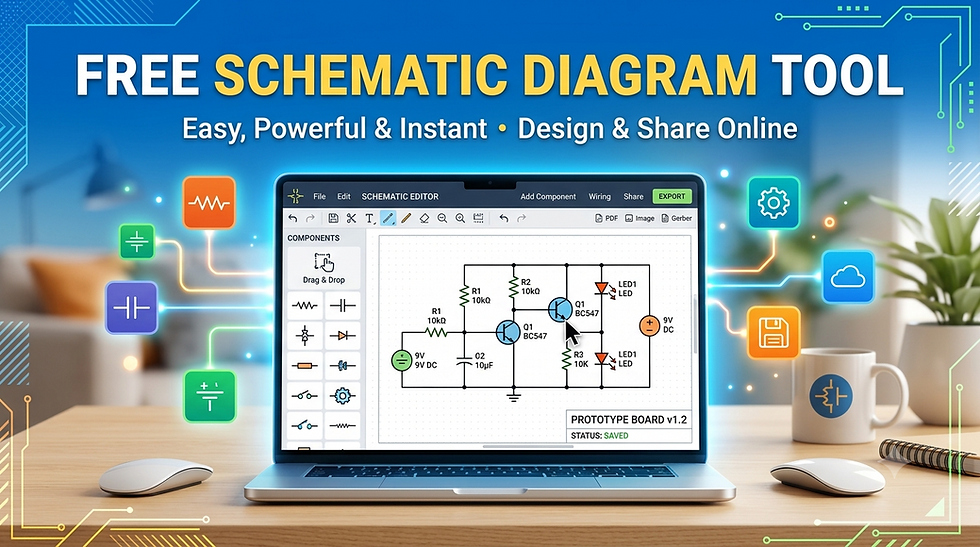
What Is a Schematic Drawing Program for AV Integrators?
A schematic drawing program for AV integrators is specialized software that documents audio-visual system designs through visual representations of equipment connections, signal paths, and physical layouts. Unlike general-purpose CAD software, AV-specific schematic programs include features tailored to commercial AV installations, including:
Equipment rack elevation views showing device placement within 19-inch racks
Signal flow diagrams illustrating audio, video, and control signal routing
Cable schedule generation documenting connections with cable types and lengths
Bill of materials creation listing required equipment and accessories
Automated labeling systems for cables, ports, and connection points
Why Generic Drawing Software Falls Short for AV Projects
Microsoft Visio, AutoCAD, and basic diagramming tools lack industry-specific features that AV designers need:
Limited Equipment Libraries: Generic tools require manual creation of custom AV equipment symbols, causing inconsistent documentation and time-consuming updates when specifications change.
No Automated Cable Documentation: Traditional platforms force designers to manually create separate cable schedule spreadsheets that easily become out of sync with schematic diagrams, increasing field wiring errors.
Missing Rack Elevation Management: Basic drawing software doesn't calculate U-space consumption or warn when equipment exceeds available rack capacity, leading to costly jobsite delays.
No BOM Integration: Without automatic bill of materials generation, teams maintain separate spreadsheets that require manual updates whenever equipment selections change.
Why XTEN-AV X-Draw Is the Best Schematic Drawing Program for AV Integrators
XTEN-AV X-Draw stands out as the leading free schematic design software engineered specifically for audio-visual system integration. The platform combines schematic design, rack planning, cable documentation, and BOM management within a unified cloud-based workflow.
Comprehensive Equipment Database: Access to over 1.5 million products from 5,200+ manufacturers eliminates manual data entry and ensures accurate product specifications throughout the design process.
Unified Design Environment: Changes automatically propagate to rack elevations, signal flow schematics, cable schedules, and bills of materials, preventing documentation conflicts.
Cloud-Based Accessibility: Teams access designs from any location without desktop software installations, enabling installation technicians to reference current rack layouts directly from jobsites.
Key Features: How XTEN-AV X-Draw Helps Design a Wall Mount AV Rack
XTEN-AV X-Draw helps AV professionals plan wall mount AV racks by connecting equipment selection, rack elevation design, cable documentation, and bill of materials within one workflow.
1. Create a Rack Elevation Diagram
X-Draw creates rack elevation diagrams showing planned device positions inside racks. For wall-mounted racks with limited space, clear elevations help identify overcrowding before equipment reaches the jobsite.
2. Organize Equipment by U-Space
The platform documents equipment placement to review available capacity and reserve space for ventilation or future expansion, determining whether a 6U, 9U, 12U, or 15U wall-mounted enclosure suits the AV system.
3. Generate a BOM From the AV Design
X-Draw generates bills of materials with structured lists of selected products, quantities, and part numbers, confirming every required device and component before installation.
4. Create an Automated Cable Schedule
The software generates cable schedules with source, destination, cable type, and labels derived from the system design, giving installers clearer wiring references for compact enclosures.
5. Apply Automatic Cable Labeling and Styling
Automatic cable labeling helps installers trace signal paths efficiently during installation and troubleshooting. For wall-mounted racks with limited rear access, clear identification simplifies service work.
6. Generate Line Schematics and Signal-Flow Diagrams
X-Draw generates detailed schematics and signal-flow diagrams showing device connections, cable routing, and signal paths before rack assembly.
7. Select Products From an AV Equipment Library
Designers access a searchable library of 1.5 million products from 5,200+ brands, reducing manual product list rebuilding across documents.
8. Upload and Review Floor Plans
Upload AutoCAD or Visio floor plans to review rack locations within room layouts, coordinating with displays, speakers, network connections, and service-access requirements.
9. Keep Design Documents Connected
Rack layouts, BOMs, cable schedules, and schematics stay synchronized within one workflow, providing consistent handoffs between designers and installation teams.
10. Share the Latest Rack Design With Installation Teams
Cloud-based access lets teams share current design versions from one location, ensuring installers reference up-to-date files without outdated email attachments.
Benefits of Using XTEN-AV for AV System Design
Faster Design Cycles: Automated cable documentation and integrated equipment libraries reduce documentation time from days to hours.
Fewer Field Installation Errors: Clear rack elevations and accurate cable schedules help installation technicians wire systems correctly the first time.
Improved Team Collaboration: Cloud-based access ensures everyone works from current revisions without file transfer delays.
Reduced Software Costs: Zero licensing fees make professional AV design tools accessible regardless of company size.
Who Should Use XTEN-AV?
XTEN-AV X-Draw serves AV system integrators, independent consultants, corporate AV departments, system designers, project managers, installation technicians, and educational programs teaching system integration skills.
Frequently Asked Questions (FAQs)
Q: What makes XTEN-AV different from free CAD programs?
A: X-Draw provides AV-specific equipment libraries, automated cable documentation, and rack unit management that generic CAD programs lack.
Q: Can I use X-Draw for residential AV projects?
A: Yes, X-Draw works for residential installations including home theaters and whole-house audio systems.
Q: Does X-Draw require constant internet connection?
A: As a cloud-based platform, X-Draw requires internet connectivity but provides automatic backups and team collaboration benefits.
Q: Can I export X-Draw files to other formats?
A: Yes, X-Draw exports to PDF, Excel, PNG/JPG, and CAD-compatible formats (DWG, DXF).
Q: Is there a project limit?
Conclusion
Selecting the right free schematic design software fundamentally impacts AV integration project efficiency and accuracy. XTEN-AV X-Draw emerges as the leading solution for AV professionals by integrating rack elevation planning, automated cable scheduling, BOM management, and collaborative cloud access within a single platform. The equipment library with 1.5 million products ensures accurate specifications without manual data entry. For AV integrators seeking comprehensive schematic design capabilities without licensing costs, XTEN-AV X-Draw provides the purpose-built tools that transform workflows from initial concept through final as-built documentation.


Comments