How to Calculate the Ideal Wall Mount AV Rack Size for Your Equipment

Selecting the correct Audio Visual (AV) wall rack size represents one of the most critical yet frequently miscalculated decisions in modern AV system design. In June 2026, as equipment densities continue increasing and system complexity escalates, undersized racks create impossible equipment fitting challenges requiring costly rack replacements, while oversized racks waste valuable budget, consume unnecessary wall space, and compromise thermal management efficiency—both scenarios resulting in client dissatisfaction and diminished project profitability for AV integrators.
Calculate ideal wall mount AV rack size by: 1) Creating comprehensive equipment inventory with rack unit heights (RU @ 1.75" each), 2) Adding cable management requirements (2-3U minimum), 3) Including thermal spacing between heat-generating devices (1U minimum), 4) Incorporating blank panels for airflow control (1-2U), 5) Adding future expansion capacity (20-30% additional), then 6) Totaling all rack units to determine minimum rack capacity and rounding up to standard sizes (6U, 9U, 12U, 15U, 18U, 22U). Beyond this mathematical calculation, knowing how to mount Audio Visual (AV) rack on wall correctly ensures the properly sized rack performs optimally through appropriate weight distribution, adequate ventilation, and accessible maintenance workflows throughout its operational lifecycle.
This authoritative guide provides AV integrators, system designers, and consultants with systematic methodologies, calculation formulas, sizing charts, and modern AI-powered design tools for accurately determining optimal wall mount rack dimensions for any equipment configuration in June 2026.
Key Takeaways
Rack Unit (RU) standard: 1.75 inches (44.45mm) vertical spacing—universal foundation for all rack sizing calculations worldwide
Minimum rack capacity formula = Equipment RU + Cable management (2-3U) + Thermal spacing (1-2U) + Expansion (20-30% of total)
Complete equipment inventory accuracy critical—missing even single device from calculations guarantees undersized rack problems
Cable management allocation (minimum 2U) non-negotiable for professional installations—omitting creates chaotic wire management regardless of equipment fit
Thermal spacing (1U minimum between heat-generating devices) extends equipment lifespan 30-50% through overheating prevention
Future expansion planning (20-30% reserved capacity) avoids expensive rack replacements ($5,000-20,000) within 2-3 years
Standard rack sizes (6U, 9U, 12U, 15U, 18U, 22U) guide selection—always round up to next standard size from calculated minimum
Depth considerations equally critical—verify deepest equipment + 2-4" rear cable management fits within rack depth specifications
Common calculation mistakes (forgetting blank panels, ignoring PDU, underestimating thermal needs) create costly installation failures
AI-powered tools like XTEN-AV's X-DRAW automate sizing calculations, reducing design time 60-80% while preventing human error

What Is a Wall Mount AV Rack?
A wall mount AV rack (also called Audio Visual wall rack) is a vertical equipment enclosure or mounting framework that securely attaches to wall surfaces, providing standardized mounting positions for rack-mountable equipment following universal industry standards ensuring equipment compatibility across all manufacturers globally.
Technical Standards and Specifications
Wall mount AV racks adhere to established international specifications:
Universal Measurement Standards:
Rack Unit (RU or U): 1.75 inches (44.45mm) vertical spacing between mounting hole centers
EIA-310-D (North America) or IEC 60297 (International) compliance for hole patterns
19-inch width: Standard distance between mounting rails (482.6mm exact)
Mounting hole patterns: Standardized threaded or square hole configurations supporting universal cage nuts
Capacity Specifications:
Typical range: 6U-22U for wall-mounted applications in June 2026
Common standard sizes: 6U, 9U, 12U, 15U, 18U, 22U
Load ratings: 50-250+ lbs depending on rack construction and mounting hardware
Larger capacities (24U+) typically transition to floor standing rack designs for structural stability
Primary Functions in Modern AV Systems
Wall mount AV racks serve critical infrastructure roles:
Equipment Housing:
AV processors: Video switchers, matrices, scalers, distribution amplifiers
Audio equipment: DSPs, amplifiers, mixers, signal processors
Network infrastructure: Switches, routers, PoE injectors, wireless controllers
Control systems: Automation processors, touch panel servers, relay interfaces
Power distribution: PDUs, surge protectors, power conditioners
Signal extension: HDBaseT transmitters/receivers, fiber optic converters
Organizational Infrastructure:
Space efficiency: Zero floor footprint preservation
Cable management: Vertical managers, horizontal organizers, service loops
Equipment protection: Locking enclosures, dust shields, physical security
Thermal management: Ventilation provisions, airflow channels, fan mounting
Professional aesthetics: Clean equipment integration in client-facing spaces
Understanding AV Rack Measurements Before Calculating Size
Accurate sizing calculations require thorough understanding of fundamental rack measurement concepts and industry terminology.
Rack Unit (RU) Measurement System Explained
The universal standard for rack equipment worldwide:
Technical Definition:
1 Rack Unit (1U/1RU) = 1.75 inches (44.45mm) vertical space exactly
Mounting hole spacing: 0.625 inches (15.875mm) between consecutive holes within each RU
Hole pattern: Three mounting holes per RU vertically along each mounting rail
Universal compatibility: Any rack-mountable equipment fits any standards-compliant rack
Common Equipment Heights in June 2026:
1U devices: Network switches, control processors, patch panels, standard PDUs, small video switchers
2U devices: Video matrices, audio DSPs, larger network switches, media servers, recording devices
3U-4U devices: Power amplifiers, high-density video processors, equipment shelves, large distribution systems
Practical Calculation Examples:
Video matrix: 2U = 2 × 1.75" = 3.5 inches vertical space required
Network switch: 1U = 1.75 inches
Audio amplifier: 3U = 3 × 1.75" = 5.25 inches
Control processor + patch panel + PDU: 1U + 1U + 1U = 3U total = 5.25 inches
Three-Dimensional Rack Sizing
Complete dimensional assessment:
Height (Vertical Dimension):
Measured in rack units (6U, 12U, 18U, etc.)
Determines equipment capacity and system scalability
Primary focus of sizing calculations
Standard increments: 3U steps in smaller racks, 3-6U in larger
Width (Horizontal Dimension):
Standard 19 inches (482.6mm) between mounting rails universally
Not a sizing variable (fixed by industry standard)
Equipment width must comply with 19-inch rack-mountable specification
Some specialized equipment requires custom shelves
Depth (Front-to-Rear Dimension):
Varies by rack model: 12-30+ inches typical in June 2026
Must accommodate deepest equipment + rear cable bend radius space
Critical secondary sizing consideration often overlooked
Incorrect depth selection creates installation failures despite correct height calculation
Equipment Mounting Specifications
Understanding manufacturer documentation:
Specification Sources:
Product data sheets: List RU height (e.g., "1U, 1.75" H × 19" W × 12" D")
Installation manuals: Provide detailed mounting dimensions
CAD drawings: Offer precise equipment dimensions for design
Manufacturer websites: Specification databases with downloadable PDFs
Non-Standard Equipment Considerations:
Non-rack-mountable devices: Require equipment shelves (each shelf consumes 1U rack space)
Partial-width equipment: Multiple devices may share single 1U shelf
Rack-mount kits: Some equipment requires optional mounting brackets (verify compatibility)
Depth variations: Equipment depth can vary 8-24 inches—always verify before rack selection
Factors That Determine the Ideal Wall Mount AV Rack Size
Multiple interdependent variables influence rack sizing decisions requiring systematic analysis.
1. Current Equipment Requirements
The foundational sizing factor driving all calculations:
Complete Equipment Inventory:
Comprehensive list of all rack-mountable equipment and devices
Accurate RU height specification for each device from manufacturer data
Non-rack-mountable equipment requiring shelves (1U per shelf typically)
Power distribution requirements (PDU placement—vertical rear-mount 0U, or horizontal 1-2U rack space)
Specialty equipment: Drawers, keyboard shelves, monitor arms if applicable
Documentation Sources for Accuracy:
Manufacturer equipment specifications (official data sheets, installation manuals)
System design documentation (detailed equipment lists, signal flow diagrams)
Project Bill of Materials (BOM) from procurement systems
Physical equipment inspection when available (verify actual dimensions vs. specifications)
As-built documentation from similar previous installations
2. Cable Management Infrastructure Allocation
Essential component frequently underestimated in calculations:
Cable Management Space Requirements:
Vertical cable managers: Mounted on rack sides (consume 0U rack space, built into rack width)
Horizontal cable organizers: Between equipment groups (1U each, typically 2-3 total)
Cable entry/exit panels: Top/bottom rack ingress/egress (1U each if dedicated panels used)
Patch panels: Network or AV signal patching infrastructure (1-2U typical)
Cable service loops: Adequate slack for equipment removal (accommodated within vertical managers)
Recommended Minimum Allocations by System Size:
Small systems (<6 devices): 2U minimum for horizontal cable management
Medium systems (6-10 devices): 3U minimum for adequate cable organization
Large systems (>10 devices): 4U minimum ensuring professional cable infrastructure
Complex systems (15+ devices): 5-6U providing comprehensive management capability
3. Thermal Spacing Requirements
Heat management essential for equipment longevity and system reliability:
Thermal Spacing Guidelines by Device Power:
High-heat equipment (>100W): Minimum 1U spacing above and below device
Medium-heat equipment (50-100W): 1U spacing recommended (may be reduced if adequate ventilation)
Low-heat equipment (<50W): Can mount consecutively without spacing
Very high-heat (>200W): Consider 2U spacing or active cooling (rack fans)
Common Heat Generation Sources in June 2026:
Power amplifiers (very high heat—100-500W typical)
Network switches (medium-high heat—especially PoE models 75-180W)
Video processors and matrices (medium heat—50-150W)
Media servers and recording devices (medium-high heat)
Power supplies and transformers (varies widely by rating)
Blank Panel Implementation:
1U blank panels installed between heat-generating devices
Directs airflow through equipment (prevents air bypass around devices)
Provides professional appearance filling gaps
Typically adds 1-3U to total rack requirement depending on equipment configuration
4. Future Expansion Capacity Planning
Forward-thinking allocation preventing expensive retrofits:
Expansion Planning Philosophy:
Reserve 20-30% total rack capacity for system growth and technology evolution
Position reserved space strategically near related equipment for logical additions
Plan power and cooling infrastructure supporting future equipment
Document expansion capabilities and available rack units for client lifecycle planning
Technology Lifecycle Considerations:
Typical AV system operational lifecycle: 5-10 years before major refresh
Technology evolution drives equipment additions and replacements regularly
Client business growth necessitates system expansion (additional displays, zones, features)
Rack replacement costs $5,000-20,000 including labor, equipment transfer, system downtime
Budget allocation for appropriate expansion capacity yields significant long-term savings
Expansion Calculation Methodology:
Calculate current equipment requirements (base + cable management + thermal spacing)
Multiply total by expansion factor: 1.25 (25% growth) to 1.30 (30% growth)
Result = minimum rack capacity including reasonable expansion capability
Round up to next standard rack size for final specification
5. Equipment Depth Requirements
Horizontal dimension verification preventing installation failures:
Depth Assessment Process:
Measure deepest equipment dimension (front-to-rear from manufacturer specifications)
Add 2-4 inches minimum for rear cable bend radius requirements
Add 1-2 inches for mounting hardware clearance at rear
Verify total required depth against selected rack depth specification
Standard Wall Mount Rack Depth Options June 2026:
12-15 inches: Shallow depth for network equipment, small AV devices, patch panels
18-20 inches: Standard depth accommodating most AV equipment (recommended default)
24 inches: Deep racks for servers, extensive rear cable management, deep equipment
Adjustable depth: Some racks offer mounting rail adjustment (14-24" range typical)
Depth Specification Verification:
Confirm whether manufacturer specifies internal mounting depth (rail-to-rail) vs. total enclosure depth
Account for door thickness if enclosed rack (may reduce usable internal depth by 2-3 inches)
Verify equipment specification method (some measure to rear connector, others to equipment body)
6. Weight Distribution and Load Capacity
Structural load management ensuring safe installation:
Weight Analysis Components:
Calculate total equipment weight (sum all device weights from specifications)
Add rack enclosure weight (20-50 lbs typical for wall mount racks)
Add cable weight estimate (5-10 lbs for typical installations)
Add accessories (shelves, drawers, cable management hardware)
Apply safety factor: 1.5-2.0x calculated total for engineering margin
Load Capacity Considerations:
Rack load rating: Verify manufacturer specification (50-250+ lbs typical)
Wall load capacity: Assess wall construction and mounting surface (concrete, wood studs, steel studs, drywall)
Weight distribution: Plan heaviest equipment at rack bottom (minimizes wall stress, prevents top-heavy instability)
Installation methodology: Proper wall anchors and mounting hardware critical for weight support
Step-by-Step Guide: How to Calculate the Ideal Wall Mount AV Rack Size
Systematic methodology ensuring accurate rack sizing for any equipment configuration.
Step 1: Create Comprehensive Equipment Inventory
Document all system devices with complete specifications:
Essential Information to Collect:
Equipment name and manufacturer model number
Rack unit height (RU) from official manufacturer specifications
Equipment weight (for load calculations and weight distribution planning)
Power consumption (watts) for thermal planning and electrical requirements
Equipment depth (front-to-rear) for rack depth selection verification
Sample Equipment Inventory Table:
Equipment | Model | RU | Weight | Power | Depth |
Video Matrix | Extron XTP II 1600 | 2U | 18 lbs | 120W | 16.5" |
Network Switch | Cisco SG350-28P | 1U | 8 lbs | 180W | 12" |
Audio DSP | QSC Core 110f | 1U | 6 lbs | 45W | 10" |
Control Processor | Crestron CP4 | 1U | 5 lbs | 25W | 10" |
Amplifier | Crown XLS 2502 | 2U | 21 lbs | 775W | 14" |
PDU | Furman M-8x2 | 1U | 7 lbs | N/A | 12" |
Step 2: Calculate Base Equipment Requirements
Sum all equipment RU heights:
Base Calculation Example:
Video Matrix: 2U
Network Switch: 1U
Audio DSP: 1U
Control Processor: 1U
Amplifier: 2U
Power Distribution (PDU): 1U
Total Base Equipment RU: 8U
Step 3: Add Cable Management Allocation
Account for wire organization infrastructure:
Cable Management Assessment:
Horizontal organizers: 2U (one mid-rack for equipment interconnections, one near top for external cables)
Patch panel (if needed for network or AV patching): 1U
Cable entry panel (if dedicated panel vs. grommet): 0U (using top grommet in this example)
Total Cable Management RU: 2U
Running Total: 8U (equipment) + 2U (cable management) = 10U
Step 4: Include Thermal Spacing
Add blank panels for heat management based on power analysis:
Thermal Device Analysis:
Amplifier (775W—very high heat): Requires 1U spacing above and below = 2U blank panels
Network switch (180W—high heat): Already separated by other equipment, but verify spacing
Other devices (45W, 25W—low heat): Consecutive mounting acceptable
Thermal Spacing Allocation: 2U (for amplifier isolation)
Running Total: 10U + 2U (thermal) = 12U
Step 5: Calculate Future Expansion Capacity
Apply growth factor for system evolution:
Expansion Calculation:
Current equipment + cable management + thermal spacing: 12U
Expansion factor: 25% (conservative standard)
Expansion capacity: 12U × 0.25 = 3U
Total with Expansion: 12U + 3U = 15U minimum requirement
Step 6: Round to Standard Rack Size
Select nearest standard size:
Available Standard Wall Mount Rack Sizes:
6U, 9U, 12U, 15U, 18U, 22U (most common)
Some manufacturers offer 4U, 8U, 10U, 16U, 20U (less standard)
Selection Decision: Calculated requirement = 15U exactly
Final Recommendation: 15U wall mount rack (matches calculated requirement perfectly)
Alternative Consideration: If calculated result was 13-14U, would still specify 15U rack (always round up to next standard size)
Step 7: Verify Depth Requirements
Confirm horizontal dimension adequacy:
Depth Analysis from Inventory:
Deepest equipment: 16.5" (Video Matrix)
Rear cable space requirement: +3" minimum for cable bend radius
Mounting hardware clearance: +1"
Total depth requirement: 20.5"
Rack Depth Selection: Specify 22-inch depth rack (provides 20.5" requirement + margin)
Verification: Confirm rack specification indicates internal mounting depth (not just external enclosure dimension)
Wall Mount AV Rack Size Calculator Formula
Mathematical approach for rapid sizing calculations and verification.
Universal Sizing Formula
Comprehensive calculation equation:
Minimum Rack Size (RU) =
[(Equipment Total RU) +
(Cable Management RU) +
(Thermal Spacing RU) +
(Blank Panels RU)] ×
(1 + Expansion Factor)
Component Definitions:
Equipment Total RU:
Sum of all equipment rack unit heights from manufacturer specifications
Include PDUs, shelves, any rack-mounted devices
Cable Management RU:
Small systems (1-5 devices): 2U minimum
Medium systems (6-10 devices): 3U recommended
Large systems (11+ devices): 4U advisable
Thermal Spacing RU:
1U per high-heat device (>100W power consumption)
2U per very high-heat device (>200W power consumption)
Example: Two amplifiers at 500W each = 4U thermal spacing
Blank Panels RU:
1-2U for airflow control and professional aesthetics
Fills remaining gaps, improves thermal performance
Expansion Factor:
Conservative: 0.25 (25% growth planning)
Standard: 0.30 (30% growth—recommended)
Aggressive: 0.40 (40% growth for rapidly evolving systems)
Quick Calculation Example
Sample System Calculation:
Given:
Equipment: 10U total
Cable Management: 3U
Thermal Spacing: 2U (one high-heat amplifier)
Blank Panels: 1U
Expansion Factor: 0.30 (30%)
Calculation:
Minimum Size = [(10 + 3 + 2 + 1)] × (1 + 0.30)
Minimum Size = [16] × (1.30)
Minimum Size = 20.8U
Recommendation: Round up to next standard size = 22U rack
Simplified Quick-Estimate Formula
Rapid approximation for preliminary planning:
Quick Estimate = (Equipment RU × 1.5) + 4U
Rationale:
Equipment RU × 1.5: Accounts for cable management, thermal spacing, expansion (50% multiplier)
+4U: Base allocation for cable management and blank panels
Example:
Equipment: 8U
Quick Estimate = (8 × 1.5) + 4 = 12 + 4 = 16U
Specify: 18U rack (next standard size)
Note: This simplified formula provides conservative estimates suitable for initial budget planning but should be verified with detailed calculation before final specification.
Wall Mount AV Rack Sizing Chart
Quick reference tables for common equipment configurations and applications.
Standard Sizing Guidelines by Application Type
Application | Typical Equipment | Equip RU | + Mgmt | + Thermal | + Exp | Recommended |
Huddle Room | Codec, switcher, control, network, PDU | 4-5U | +2U | +1U | +2U | 9U |
Small Conference | Matrix, DSP, amplifier, control, network, PDU | 7-9U | +3U | +2U | +3U | 15U |
Medium Conference | Multiple processors, amps, distribution, control, network | 10-12U | +3U | +2U | +4U | 18U |
Large Conference | Extensive processing, multiple amps, distribution, recording | 14-16U | +4U | +3U | +5U | 22U |
Classroom/Training | Switcher, audio processor, control, network, distribution | 5-6U | +2U | +1U | +2U | 12U |
Executive Office | Presentation switcher, control, media player, network | 3-4U | +2U | +1U | +2U | 9U |
Control Room | Multiple processors, recording, monitoring, extensive network | 13-15U | +4U | +3U | +5U | 22U+ |
Broadcast Studio | High-density processing, recording, monitoring, routing | 16-18U | +4U | +3U | +6U | 22U+ |
Equipment Count Rule of Thumb
Simplified estimation by device quantity:
Device Count Guidelines (June 2026):
1-3 devices: 6U rack typically adequate
4-6 devices: 9U rack recommended
7-9 devices: 12U rack standard
10-12 devices: 15U rack appropriate
13-15 devices: 18U rack suggested
16-18 devices: 22U rack advised
19+ devices: Consider multiple racks or floor standing alternative
Important Assumptions:
Average 1-1.5U per device (mix of 1U and 2U equipment)
Includes reasonable cable management, thermal spacing, expansion
Adjust upward for multiple multi-RU devices (amplifiers, large processors)
Adjust downward if many devices extremely low profile with minimal thermal needs
Rack Size Comparison Chart
Feature comparison across standard wall mount rack sizes:
Rack Size | Total RU | Equipment Capacity | Weight Limit | Typical Cost | Best For |
6U | 6 | 3-4 devices + mgmt | 50-100 lbs | $200-500 | Huddle rooms, minimal systems |
9U | 9 | 5-6 devices + mgmt | 75-125 lbs | $300-700 | Small offices, huddle, simple conference |
12U | 12 | 7-9 devices + mgmt | 100-150 lbs | $400-900 | Classrooms, small conference, standard deployments |
15U | 15 | 10-11 devices + mgmt | 125-175 lbs | $500-1,200 | Medium conference, training rooms |
18U | 18 | 12-14 devices + mgmt | 150-200 lbs | $600-1,500 | Large conference, auditoriums |
22U | 22 | 16-18 devices + mgmt | 175-250 lbs | $800-2,000 | Control rooms, broadcast, complex systems |
Common Mistakes When Calculating Wall Mount AV Rack Size
Avoid these frequent errors that compromise project success.
Mistake 1: Forgetting Cable Management Allocation
Error: Calculating only equipment RU without cable management infrastructure space.
Consequences:
No rack space for essential horizontal organizers
Cable chaos inevitable during installation
Unprofessional appearance damaging integrator reputation
Extremely difficult troubleshooting and maintenance
Client dissatisfaction despite system functionality
Prevention Strategy:
Always allocate minimum 2U for cable management regardless of system size
Increase to 3-4U for systems with 10+ devices or complex interconnections
Include patch panels if network or AV patching required
Document cable management as non-negotiable rack requirement
Mistake 2: Ignoring Thermal Spacing Between Heat-Generating Equipment
Error: Mounting high-power devices consecutively without blank panel spacing.
Consequences:
Equipment overheating during operation causing thermal shutdowns
Premature component failures (reduces equipment lifespan 50%+)
Warranty violations (manufacturers void warranties for temperature specification exceedance)
Expensive service callbacks and equipment replacements
System reliability problems frustrating clients
Prevention Strategy:
Calculate equipment power consumption during inventory phase
Identify high-heat devices (>100W) requiring spacing
Add minimum 1U blank panel above and below high-heat equipment
Consider active cooling (rack fans) for very high-power systems (>500W total)
Monitor temperatures post-installation to verify adequate thermal management
Mistake 3: No Future Expansion Planning
Error: Sizing rack exactly to current equipment list with zero growth margin.
Consequences:
Rack replacement required for even modest equipment additions
Replacement cost: $5,000-20,000 including labor, downtime, reinstallation
System inflexibility limiting client growth and technology adoption
Lost revenue opportunities for system expansion services
Client frustration with infrastructure limitations
Prevention Strategy:
Always add 20-30% expansion capacity to calculated requirements
Position reserved space strategically near related equipment
Document available rack units and expansion plans for client
Plan power and cooling infrastructure supporting future equipment
Communicate expansion capability as system value to clients
Mistake 4: Overlooking Equipment Depth Requirements
Error: Focusing exclusively on height (RU) while ignoring depth dimension.
Consequences:
Equipment doesn't fit rack (too deep for selected rack depth)
Inadequate rear cable space causing cable stress and damage
Project delays while sourcing correct depth rack
Potential equipment damage from forced installation
Budget overruns for emergency rack replacement
Prevention Strategy:
Measure deepest equipment from specifications during inventory
Add minimum 2-4 inches for rear cable bend radius requirements
Verify rack depth specification method (internal mounting vs. total enclosure)
Default to 18-20 inch depth for standard AV equipment when uncertain
Document depth requirements alongside height calculations
Mistake 5: Missing Equipment from Inventory
Error: Incomplete equipment lists during calculation phase.
Consequences:
Undersized rack missing critical devices
Installation failures requiring mid-project rack replacement
Budget overruns and timeline delays
Client confidence erosion in integrator competence
Forced compromises eliminating cable management or thermal spacing
Prevention Strategy:
Cross-reference multiple sources: BOM, system design, drawings, specifications
Include often-forgotten items: PDUs, patch panels, shelves, cable management panels
Verify equipment list with procurement team before finalizing rack specification
Build review checkpoints into design workflow catching omissions
Use design software with integrated BOM-to-rack verification
Mistake 6: Incorrect RU Height Assumptions
Error: Guessing equipment dimensions without verifying manufacturer specifications.
Consequences:
Sizing inaccuracies (over or underestimating rack needs)
Equipment fit surprises during installation
Potential undersizing requiring expensive corrections
Wasted budget if oversizing from incorrect assumptions
Prevention Strategy:
Always verify RU heights from official manufacturer data sheets
Don't assume "typical" sizes (1U, 2U) without confirmation
Account for mounting ear dimensions and equipment orientation
Use manufacturer product databases or CAD libraries for accuracy
Leverage design software with extensive equipment libraries
Mistake 7: Forgetting Blank Panels
Error: Allocating zero RU for blank panels in calculations.
Consequences:
Poor airflow control (air bypasses equipment)
Equipment appears haphazardly distributed with large gaps
Unprofessional aesthetics damaging client perception
Potential thermal issues from inadequate airflow direction
Prevention Strategy:
Add 1-2U for blank panels in every rack specification
Use blank panels for thermal spacing and aesthetic gap-filling
Include blank panel costs in project budgets
Install blank panels during equipment mounting (not afterthought)
Frequently Asked Questions
What is the most common wall mount AV rack size in June 2026?
12U racks remain the most common wall mount size in June 2026, accommodating typical small-to-medium conference room systems (5-8 devices) with adequate cable management (2-3U), thermal spacing (1-2U), and future expansion (20-30%). This size balances capacity, cost-effectiveness, and versatility for standard commercial installations across corporate, education, and hospitality sectors.
How do I calculate rack size if I don't know all equipment yet?
Use application-based estimates for preliminary planning: Huddle rooms typically require 9U, small conference rooms 12U, medium conference 15-18U, large conference/control rooms 22U. Alternatively, estimate 1.5-2U per anticipated device, add 30% for cable management and expansion. Always specify next larger standard size to accommodate inevitable equipment changes during design development phases. Verify and refine sizing once final equipment list confirmed.
Should I always add 20-30% for future expansion?
Yes, expansion planning (20-30% additional capacity) should be standard practice in June 2026, avoiding expensive rack replacement ($5,000-20,000) when clients add equipment within 2-5 years—occurring in over 70% of AV installations. Rare exceptions include: Extremely budget-constrained projects with documented zero-growth commitments, temporary installations with defined end dates, or retrofit projects in severely space-constrained locations. Even budget projects benefit from 20% minimum expansion allocation.
What if my calculated size falls between standard rack sizes?
Always round up to next standard rack size (6U, 9U, 12U, 15U, 18U, 22U) without exception. Example: Calculation yields 14U requirement → specify 15U rack (never 12U). Rounding down creates undersized racks guaranteeing installation failures. Standard sizes optimize cost, availability, lead times, and compatibility with accessories from manufacturers. Custom sizes cost 30-50% more with 4-8 week lead times vs. 1-2 weeks for standard.
How much space should I allocate for cable management?
Allocate minimum 2U for small systems (1-5 devices), 3U for medium systems (6-10 devices), 4U for large systems (10+ devices) in June 2026. Specifically: 1-2U for horizontal organizers between equipment groups, 1U for patch panels (if network/AV patching required), 1U for dedicated cable entry/exit panels (if used vs. grommets). Vertical cable managers mount on rack sides consuming 0U rack space. Never omit cable management to "save" space—creates permanent organizational problems.
How do I account for equipment that isn't rack-mountable?
Non-rack-mountable equipment requires shelves—each equipment shelf consumes 1U rack space. Example: Media player without rack ears → add 1U rack shelf to calculation. Some small devices (multiple units) can share single 1U shelf, but plan conservatively avoiding overcrowding and thermal issues. Include shelf costs in project budgets ($40-120 per shelf). Some equipment offers optional rack mount kits—verify availability before specifying shelves.
What depth rack do I need for typical AV equipment in June 2026?
Most AV equipment fits within 18-20 inch depth racks (accommodates 80% of devices). Measure deepest equipment, add 2-4 inches for rear cable bend radius—if total ≤16", specify 18-inch rack; if 16-20", specify 20-inch rack; if >20", specify 24-inch or deeper. Network equipment often fits 12-15 inch shallow racks. When uncertain, default to 20-inch depth providing maximum flexibility without significant cost premium. Verify rack specification indicates internal mounting depth vs. total enclosure depth.
Conclusion
Accurately calculating Audio Visual (AV) wall rack size represents a foundational competency distinguishing professional AV integrators from those plagued by installation failures, project delays, and client dissatisfaction in June 2026. As equipment densities continue increasing and system expectations expand across corporate, educational, and commercial sectors, systematic sizing methodologies—properly accounting for current equipment, cable management infrastructure, thermal spacing, and critically, future expansion capacity—ensure rack selections support successful deployments while accommodating inevitable system evolution over 5-10 year operational lifecycles.
The straightforward yet comprehensive calculation process—creating complete equipment inventory with accurate RU heights, adding essential cable management allocation (2-4U), including appropriate thermal spacing (1-3U), incorporating prudent expansion capacity (20-30%), then rounding up to standard rack sizes—provides reliable sizing for any equipment configuration from simple huddle rooms to complex control rooms. However, even systematic approaches carry error potential through incomplete equipment inventories, incorrect RU specifications, forgotten cable management, underestimated thermal requirements, or absent expansion planning—mistakes creating expensive remediation scenarios requiring rack replacement at $5,000-20,000.
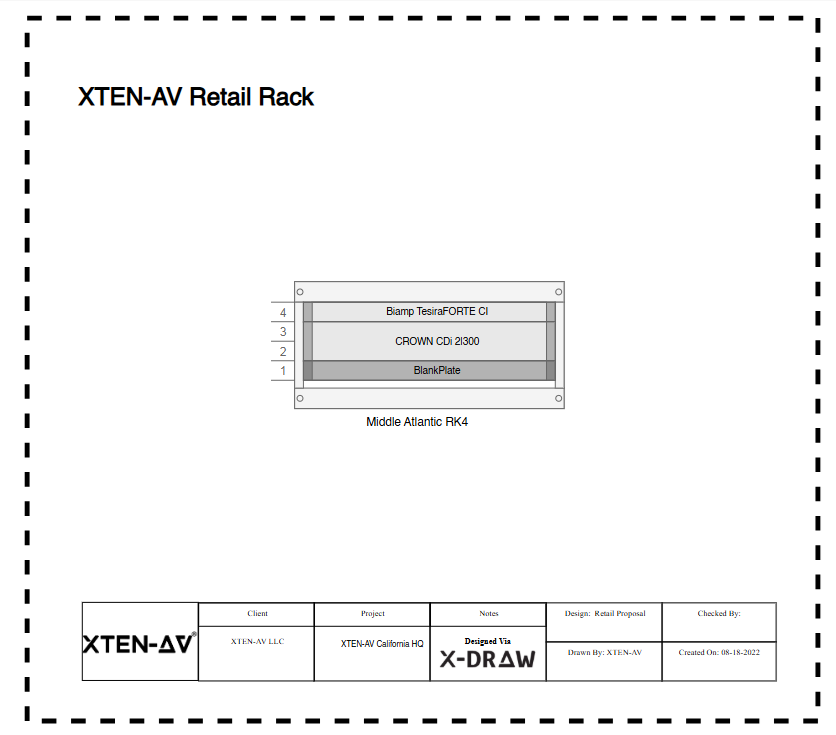
Modern AI-powered design platforms like XTEN-AV's X-DRAW have revolutionized rack sizing workflows in June 2026, transforming manual calculation-intensive processes into automated operations that import equipment specifications from comprehensive manufacturer databases, apply industry best practices automatically, and recommend optimal rack configurations within seconds. This technology democratizes sizing expertise across entire integration teams, enables consistent specification quality, dramatically reduces design time (60-80% reduction typical), and virtually eliminates calculation errors that plague manual methods—providing competitive advantages to integration firms adopting these tools.


Comments